~SHADE LQQK~
HIYA, HERE I AM AGAIN WITH A GREAT LQQK...THIS IS ANOTHER AWESOME LQQK YOU CAN ACHIEVE WITH FX/ DISTORT. THERE ARE A LOT OF DISTORT TECHNIQUES, BUT I HAVEN'T SEEN THIS ONE WRITTEN UP, SO I THOUGHT I'D SHARE IT WITH YA'LL!
Note: Distort/Shepard with Virtual Pixel Dither is what gives you that shade on the left side of your graphic. The parameters for this are 0,0 100 0 (0 coma 0 space 100 space 0) The 3rd number of your Parameter should be 100, but you can play with that number to move the shade and object on your graphic...If you want to make your shade narrower, you lower the 3rd number till you get the look you want. Lowering this number moves the shade to the left and also the subject to the right of your graphic is moved left. Another thing you can do is, crop some of the left side before you do the Shepard, this way you won't lose the shade, or the image to the right of your graphic when it is moved left after the Shepard...The amount you crop depends on the graphic.
ORIGINAL
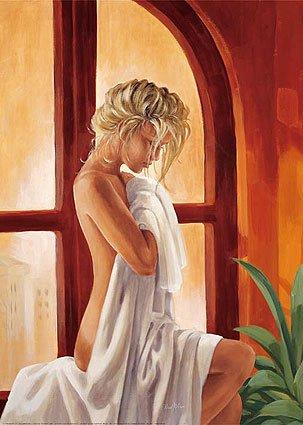
EFFECTS/ SHADE 10X30
VIRTUAL PIXEL=EDGE
FX/SEPIA TONE @60,000
VIRTUAL PIXEL=EDGE
COMPOSITE/MULTIPLY
FX/DISTORT @0,0 100 0
with DISTORT TYPE SHEPARD
&
VIRTUAL PIXEL DITHER
ANNOTATE +0+5 SOUTHWEST
FILL-BLACK STROKE-BLACK
POINT-28 VICTORIAS SECRET
VOILA!
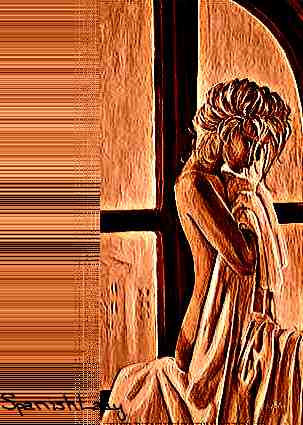
HERE ARE SOME OTHER IMAGES WITH THIS TECHNIQUE
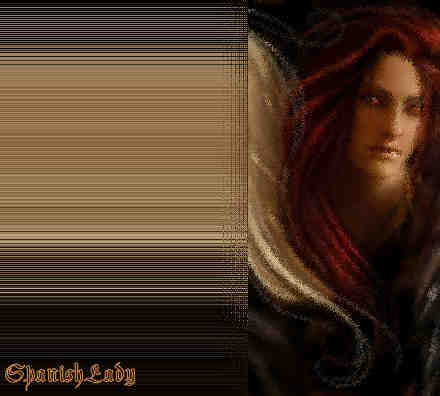
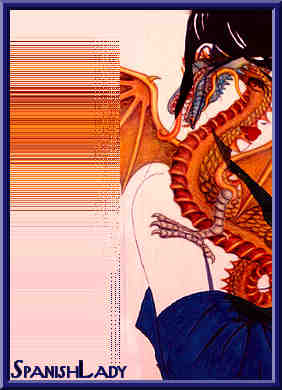
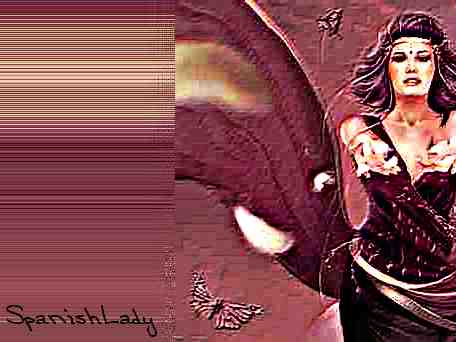
ADDITIONALLY, IF YOU WANT TO MAKE A SHADE FRAME, YOU CAN DO IT BY GOING TO FX
FX/DISTORT @.9-.1 space.1.9
with DISTORT TYPE SRC
&
VIRTUAL PIXEL DITHER
HERE IS AN EXAMPLE:
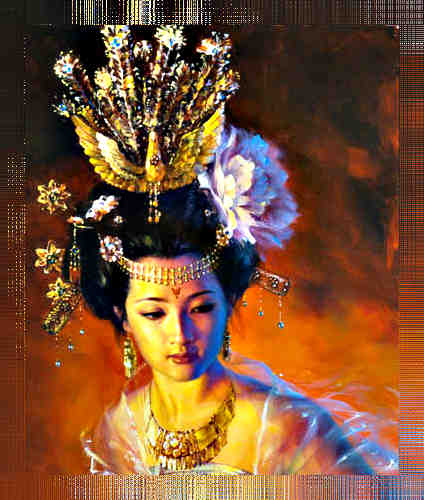
THANKS TO LYNN (CATSPAW) FOR THIS AWESOME IMAGE & LENORE FOR THE PARM NUMBERS ON HOW TO DO THE 4 SIDES ALL AT ONCE!
THE THINGS YOU CAN DO WITH DISTORT ARE ENDLESS!
©MMVII
Written by SpanishLady Rider
March 6, 2009
All Rights Reserved